
Build better documentation with AI-powered tools
Blueprinto brings together structured documentation, interactive diagrams, and AI assistance so your team can design, document, and ship complex systems faster.
✨ Free during beta testing • No credit card required
Perfect for product, engineering, and platform teams
1Structured Documentation
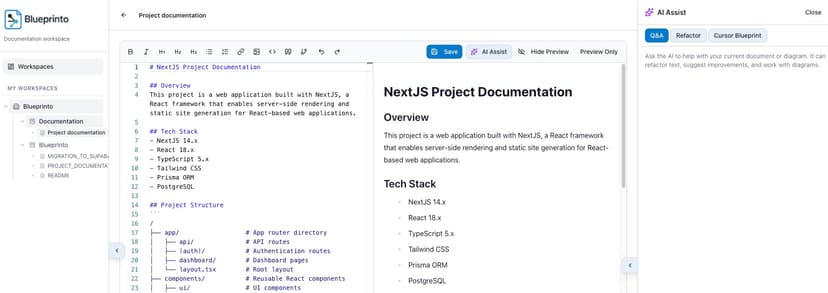
Create hierarchical Markdown documents with AI-powered writing assistance. Organize specs, implementation notes, and best practices in a clear, navigable structure.
2Diagram Editors
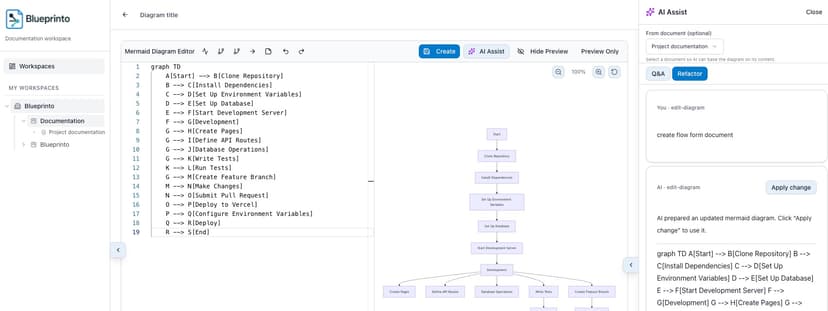
Create diagrams two ways: write Mermaid code with live preview, or use the visual drag-and-drop editor to build flowcharts interactively. Keep drafts and published versions separate, and let AI generate diagrams from your documentation automatically.
3Cursor Integration
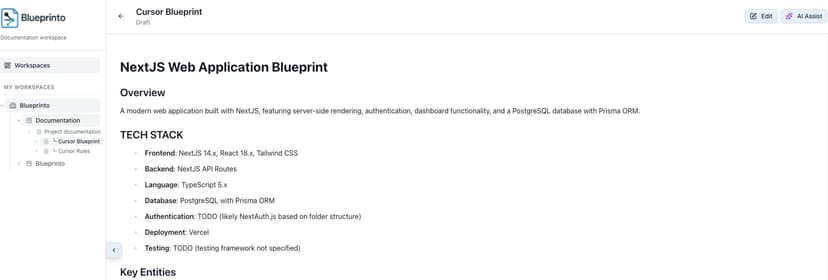
Generate Cursor-ready blueprints and rules files from your documentation. Keep your AI coding assistants aligned with your tech stack and conventions.
Everything you need to document your systems
Keep requirements, architecture, and implementation context synchronized as your product evolves — whether you start from a blank page or import markdown documents from your codebase.
Workspace Organization
Organize work across workspaces, projects, sections, and nested documents. Every spec has a clear home with intuitive navigation.
Role-Based Access
Granular permissions: workspace owners have full control, editors can create and modify, and viewers get a clean, read-only experience.
Visual Diagram Editor
Build flowcharts visually by dragging and dropping nodes. Add shapes, connect nodes, edit labels, and customize colors. Diagrams are automatically converted to Mermaid code for seamless integration.
Draft & Publish Workflow
Iterate safely with draft docs and diagrams, then publish when ready. Viewers always see the latest published version while editors keep working.
Project Management Features
Beyond documentation, manage your projects with integrated task management, time tracking, and team collaboration.
Real-Time Chat
Collaborate with your team in real-time. Global chat keeps everyone connected across projects, with instant messaging and notifications.
Time Logging
Track time spent on tasks and projects. Log hours with start/end times, link to tasks, and generate detailed timesheet reports for better project insights.
Task Management
Organize work with kanban boards and list views. Create tasks, assign team members, set priorities, track status, and link tasks to documents for complete project visibility.
User Stories
Capture feature requirements with AI-powered generation from your documentation. Create user stories with acceptance criteria, priorities, tags, and threaded comments for better collaboration.
Project Files
Upload and manage document files for your projects. Support for PDF, Excel, Word, Text, CSV, and Images with inline viewing. Organize files with search, filtering, and sorting capabilities. Get instant project statistics on the overview page.
POC Projects
Transform your documentation into deployable applications. AI generates complete Next.js projects from your docs, diagrams, and user stories, then automatically deploys to Vercel with build validation and error fixing.
Built for everyone who builds
From solo developers to enterprise teams, Blueprinto adapts to your workflow and scales with your needs.
Indie Developers & Vibe Coders
Document your side projects, track your progress, and keep your ideas organized. Perfect for solo builders who want structure without the overhead.
- ✓ Free during beta
- ✓ Multiple projects per workspace
- ✓ AI assistance with your own keys
Freelancers & Consultants
Manage client projects, track time, and deliver professional documentation. Keep each client's work organized and accessible.
- ✓ Free during beta
- ✓ Client workspace separation
- ✓ Time tracking & reporting
- ✓ Professional documentation delivery
Startups & Small Teams
Move fast without losing context. Document decisions, track tasks, and keep your growing team aligned as you scale.
- ✓ Free during beta
- ✓ Fast onboarding for new hires
- ✓ Task management & collaboration
- ✓ Real-time team chat
Engineering Teams
Maintain architecture docs, API specifications, and system designs. Keep technical documentation in sync with your codebase.
- ✓ Free during beta
- ✓ GitHub/GitLab integration
- ✓ Architecture diagrams & docs
- ✓ Role-based access control
Group Projects & Students
Collaborate on class projects, hackathons, or open source. Share documentation, track progress, and work together seamlessly.
- ✓ Free during beta
- ✓ Easy team invitations
- ✓ Project-based organization
Enterprise Teams
Scale documentation across departments and projects. Enterprise-grade organization with granular permissions and audit trails.
- ✓ Free during beta
- ✓ Multi-workspace organization
- ✓ Advanced access controls
- ✓ Professional support available
No matter your team size or project type, Blueprinto adapts to your needs.
Get Started FreeAI assistance built into your workflow
Ask questions, refactor sections, or generate new diagrams without leaving the editor. Bring your own OpenAI or Anthropic API keys so you stay in control of providers, models, and limits.
- Context-aware AI chat tied to your open document or diagram
- Q&A for viewers, powerful refactoring tools for editors
- Workspace-level AI settings and model selection
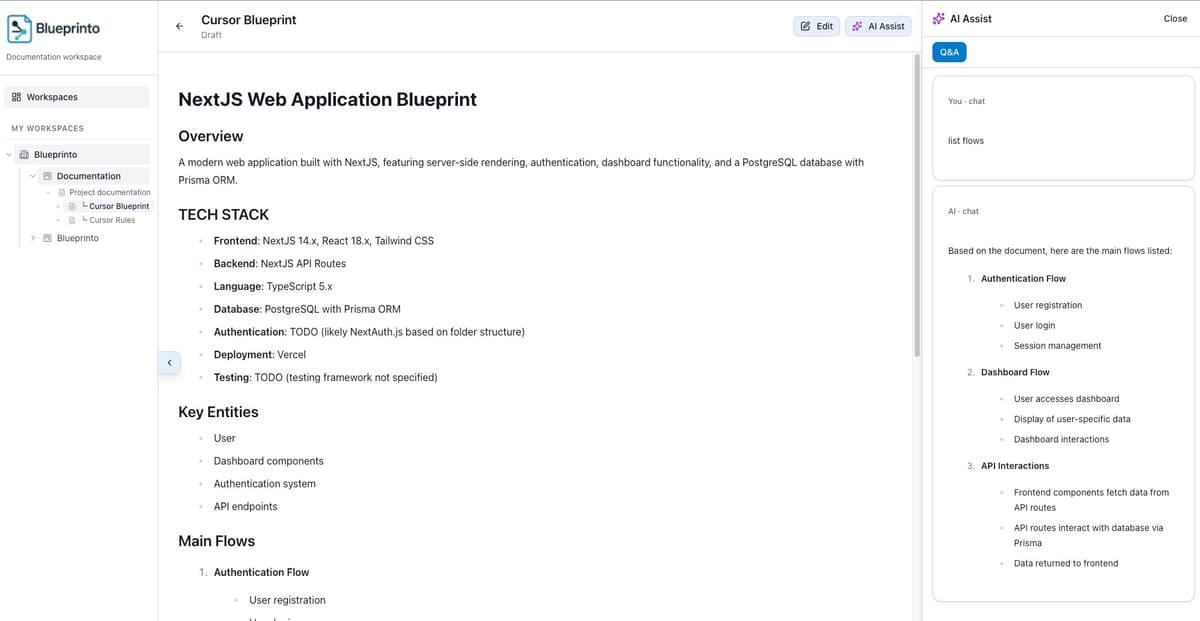
Open a document, ask questions, and apply AI-generated changes directly into your editor.
Turn specs into Cursor blueprints and rules
Generate structured Cursor blueprint files plus companion rules that encode your tech stack and conventions—ready to drop into your repository.
- Capture tech stack and system boundaries once, reuse across agents
- Keep rules versioned alongside the docs they're based on
- Give Cursor consistent, high-quality context on how your team builds
Blueprint Example
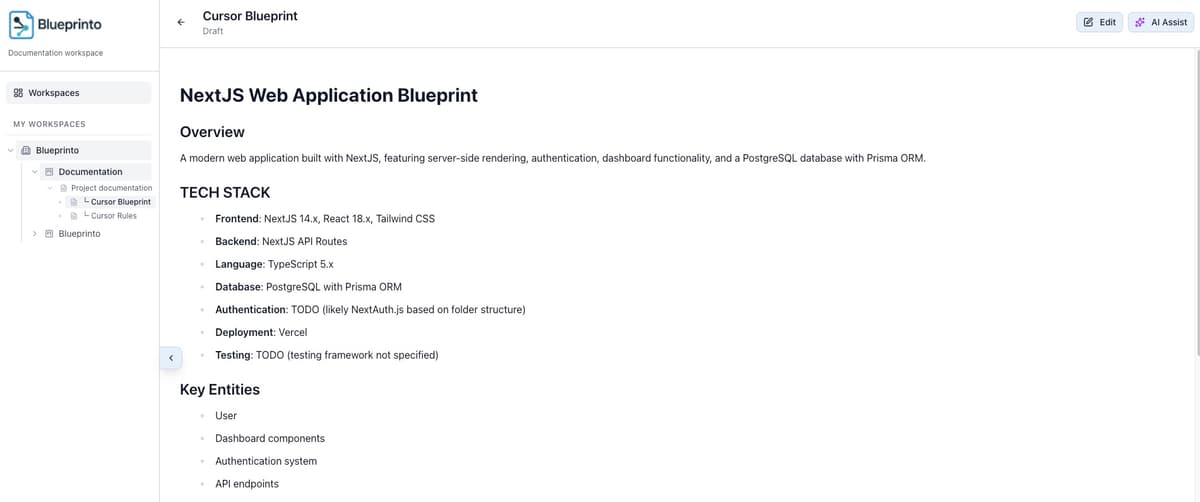
Blueprint and rules docs are stored as children of your original spec, keeping everything discoverable.
Turn documentation into deployable applications
Generate complete Next.js projects from your documentation, diagrams, and user stories. AI creates production-ready codebases, validates builds, fixes errors automatically, and deploys to Vercel—all in one workflow.
- AI analyzes your docs, diagrams, and user stories to generate complete project codebases
- Automatic build validation and AI-powered error fixing before deployment
- One-click deployment to Vercel with real-time status tracking and public URLs
- Regenerate and update projects as your documentation evolves
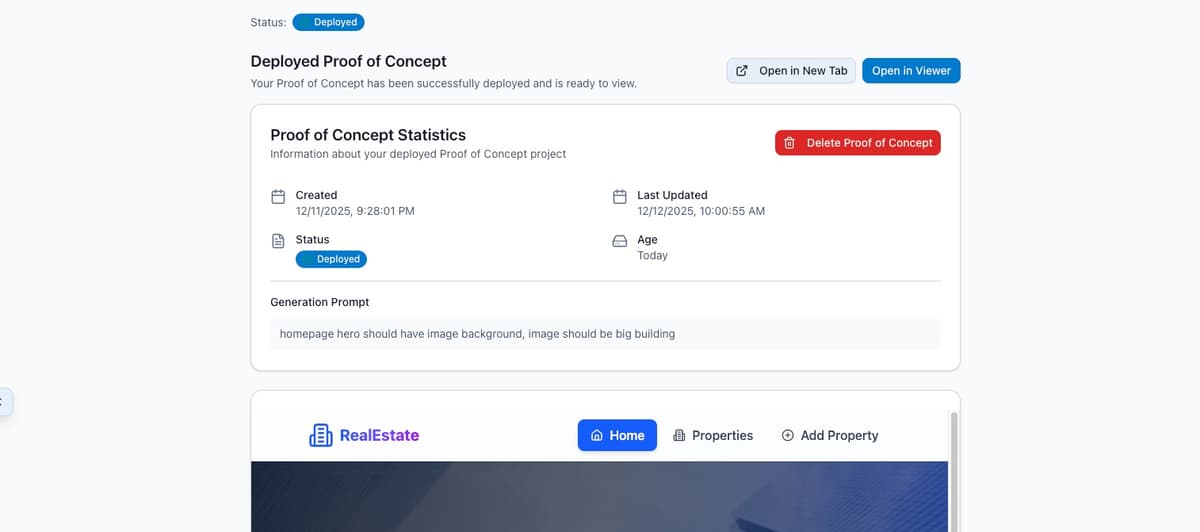
Generate, validate, and deploy proof-of-concept projects in minutes. Perfect for rapid prototyping and validating ideas.
Sync with GitHub and GitLab
Keep your documentation in sync with your code repositories. Import existing docs or export your work back to GitHub and GitLab.
GitHub Integration
Connect to GitHub repositories and keep documentation synchronized with your codebase. Works seamlessly with GitHub.com. Only markdown files are synced, keeping your repository organized.
- OAuth authentication with workspace-level configuration
- Pull only markdown (.md) files from repositories
- Push changes to
.blueprinto/directory via pull requests
.blueprinto/documents/ directory via pull requests.GitLab Integration
Connect to GitLab.com or your on-premise GitLab instance. Works seamlessly with both cloud and self-hosted deployments. Only markdown files are synced, keeping your repository organized.
- Supports GitLab.com and on-premise instances
- OAuth authentication with workspace-level configuration
- Pull only markdown (.md) files from repositories
- Push changes to
.blueprinto/directory via merge requests
.blueprinto/documents/ directory via merge requests. Perfect for teams using self-hosted GitLab.Sync Workflow
.blueprinto/ directory via pull/merge requestsGet in touch
Have questions or feedback? We'd love to hear from you during our beta testing phase.